


ARTICLES
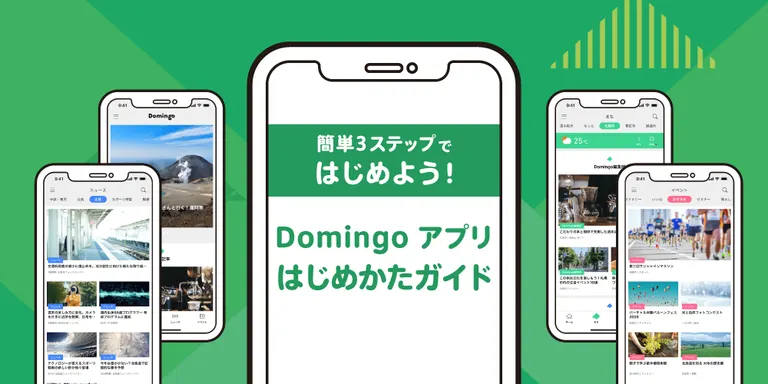
Get Started in 3 Easy Steps! A Guide to the Domingo App



Hello everyone, and thank you for using the new and improved Domingo!
The Domingo app has been updated and is now even more convenient!
The app is free to use, and no registration is required.
We've added some handy new features, so if you don't have it yet, be sure to download it. If you're already a user, please update to the latest version to enjoy the new experience.
In this article, we'll introduce the key features and how to get started with the Domingo app.


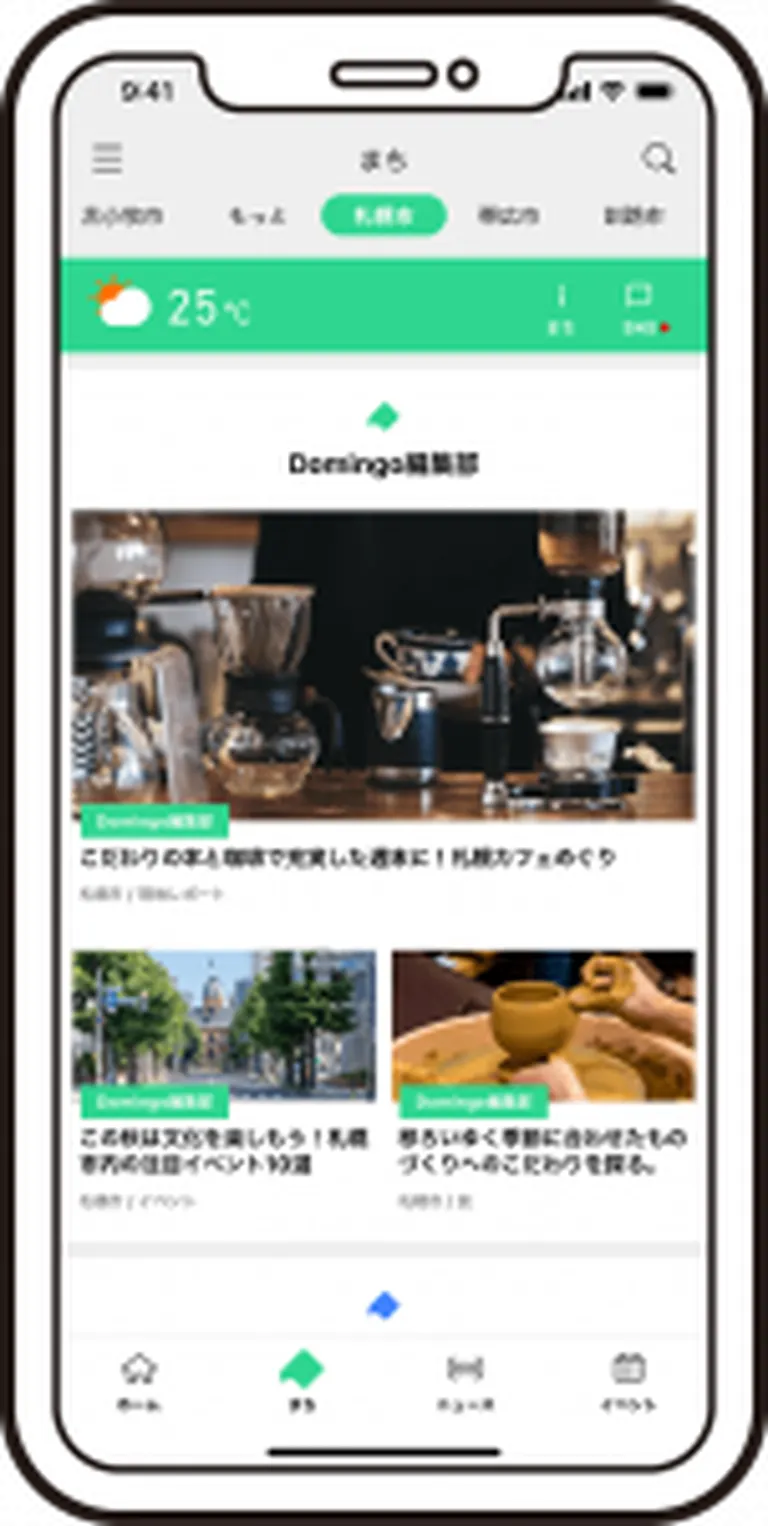 In the app's "Towns" tab, you can follow your favorite municipalities—like the town you live in or your hometown—to see all their information in one place.
From weather forecasts and social media to articles, news, event information, local players, and crowdfunding projects, you'll find a wide variety of information about the town consolidated on a single page.

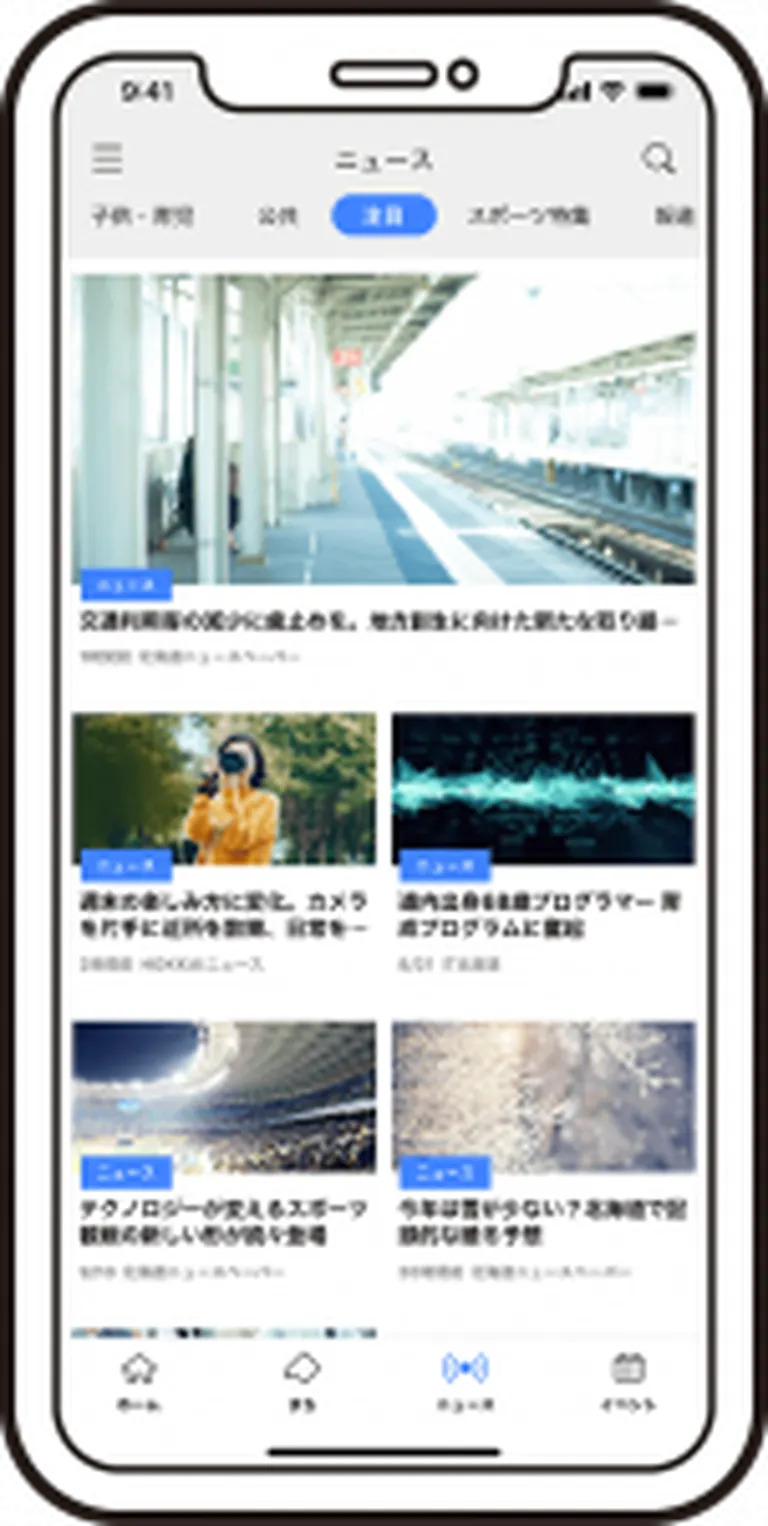 The "News" tab is an exclusive feature of the app version.
In the "News" tab, reports from news organizations across Hokkaido, as well as announcements from local governments and organizations, are displayed and sorted into categories like "Business," "Sports," and "Gourmet."
Similarly, in the "Events" tab, a diverse range of events from all over Hokkaido are categorized into sections like "Exhibitions," "Workshops," and "Family."
This makes it incredibly easy to find news and events that match your interests in the app version!

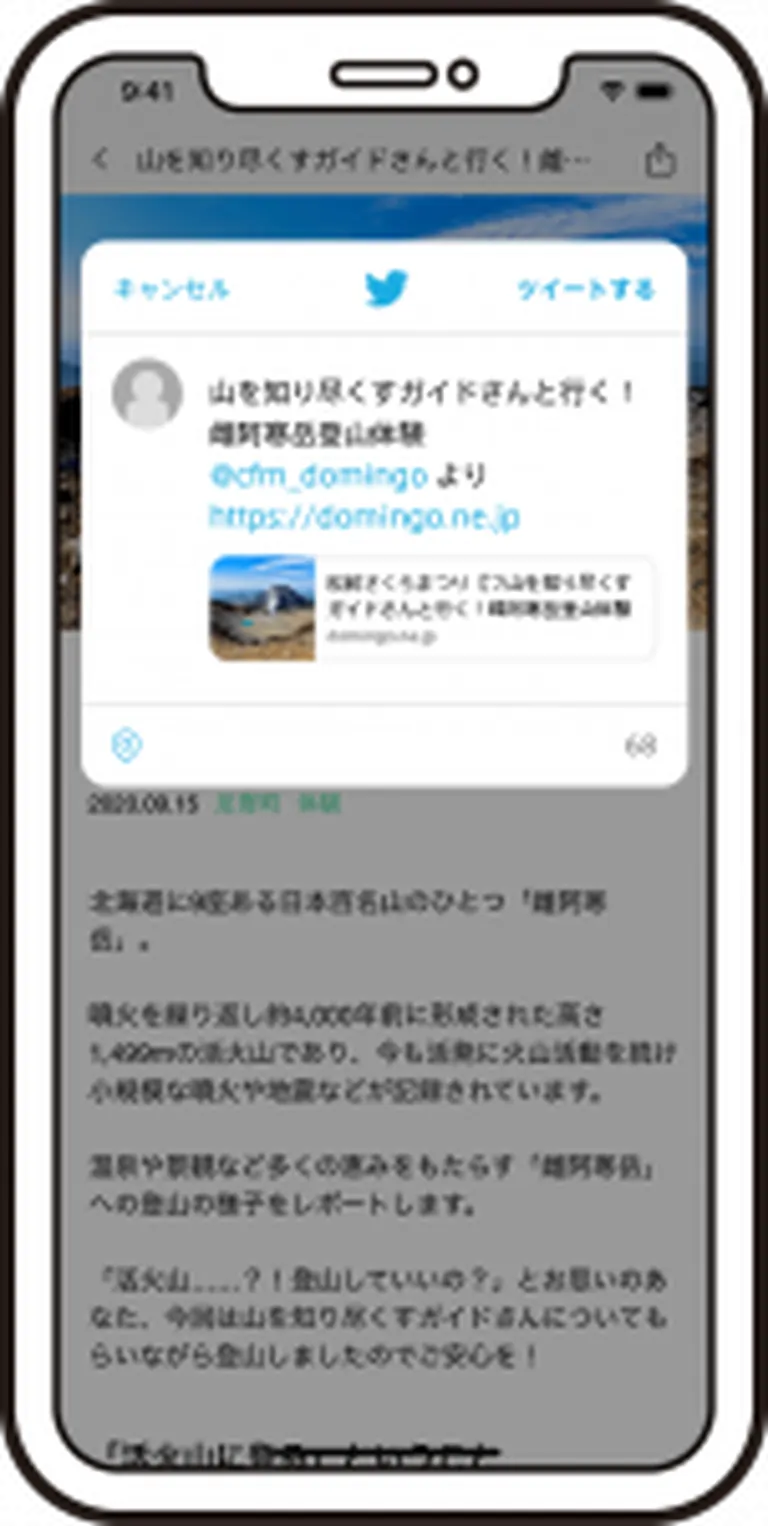 The app makes it much easier to share content on your social media accounts.
Feel free to share your thoughts on news and articles you've read, or post about events you want to attend!

 The Domingo app is available for both iOS and Android.
First, tap the badge below to download!
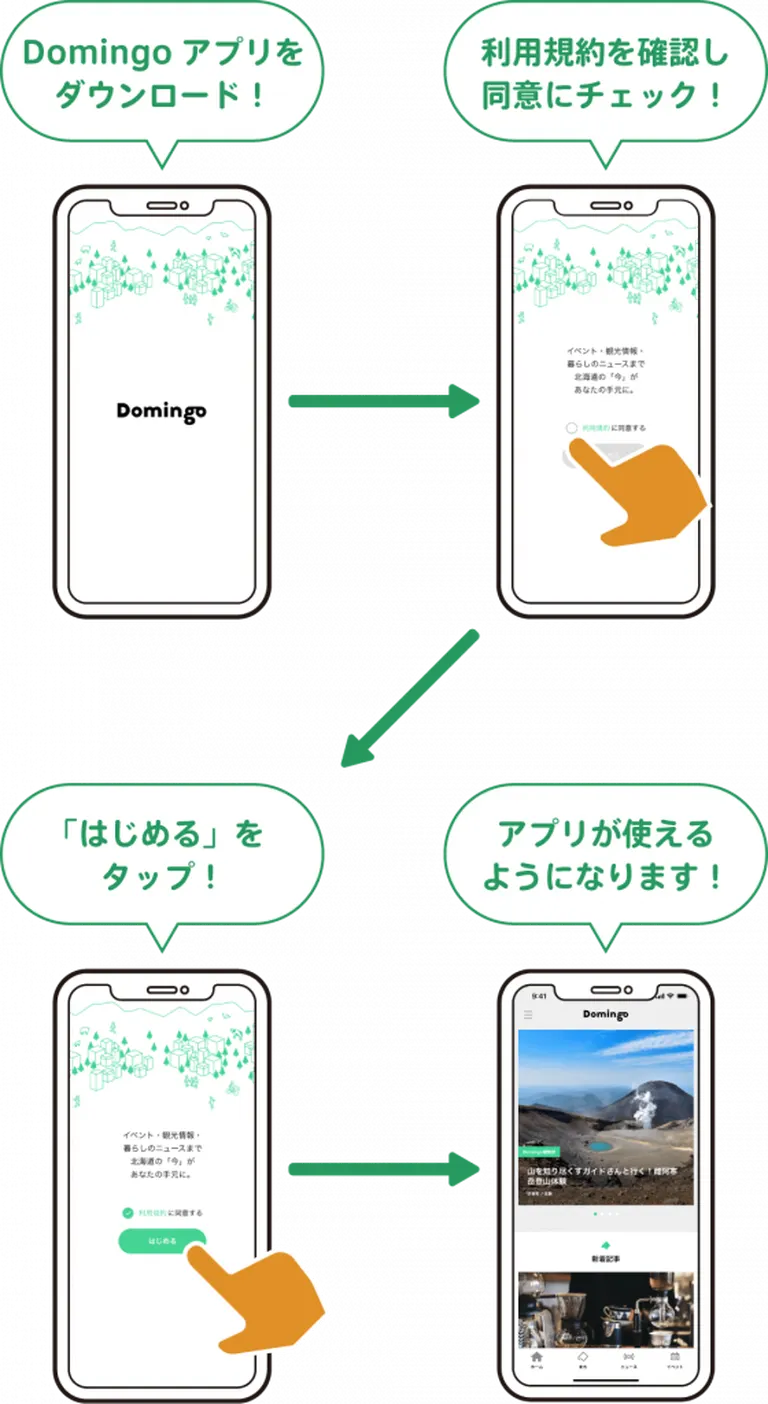
 Once you've downloaded the app, launch it, review and agree to the Terms of Service, and simply tap "Start" to begin using Domingo!

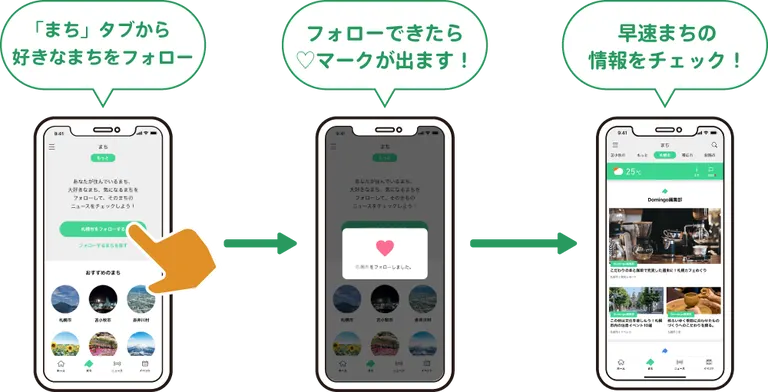
Once you're in the app, go to the "Towns" tab, select your favorite towns, and give them a follow.
When the ♡ icon appears, you're all set.
Now you can immediately check out the latest news, events, crowdfunding projects, and information on local players for your followed towns!
In this article, we've covered the convenient features of the Domingo app and how to get started.
We hope you'll use the app to discover all sorts of fun and interesting information about your favorite towns!
The Domingo app has been updated and is now even more convenient!
The app is free to use, and no registration is required.
We've added some handy new features, so if you don't have it yet, be sure to download it. If you're already a user, please update to the latest version to enjoy the new experience.
In this article, we'll introduce the key features and how to get started with the Domingo app.
In the app's "Towns" tab, you can follow your favorite municipalities—like the town you live in or your hometown—to see all their information in one place.From weather forecasts and social media to articles, news, event information, local players, and crowdfunding projects, you'll find a wide variety of information about the town consolidated on a single page.
The "News" tab is an exclusive feature of the app version.In the "News" tab, reports from news organizations across Hokkaido, as well as announcements from local governments and organizations, are displayed and sorted into categories like "Business," "Sports," and "Gourmet."
Similarly, in the "Events" tab, a diverse range of events from all over Hokkaido are categorized into sections like "Exhibitions," "Workshops," and "Family."
This makes it incredibly easy to find news and events that match your interests in the app version!
The app makes it much easier to share content on your social media accounts.Feel free to share your thoughts on news and articles you've read, or post about events you want to attend!
The Domingo app is available for both iOS and Android.First, tap the badge below to download!
Once you've downloaded the app, launch it, review and agree to the Terms of Service, and simply tap "Start" to begin using Domingo!Once you're in the app, go to the "Towns" tab, select your favorite towns, and give them a follow.
When the ♡ icon appears, you're all set.
Now you can immediately check out the latest news, events, crowdfunding projects, and information on local players for your followed towns!
In this article, we've covered the convenient features of the Domingo app and how to get started.
We hope you'll use the app to discover all sorts of fun and interesting information about your favorite towns!